
Introduction
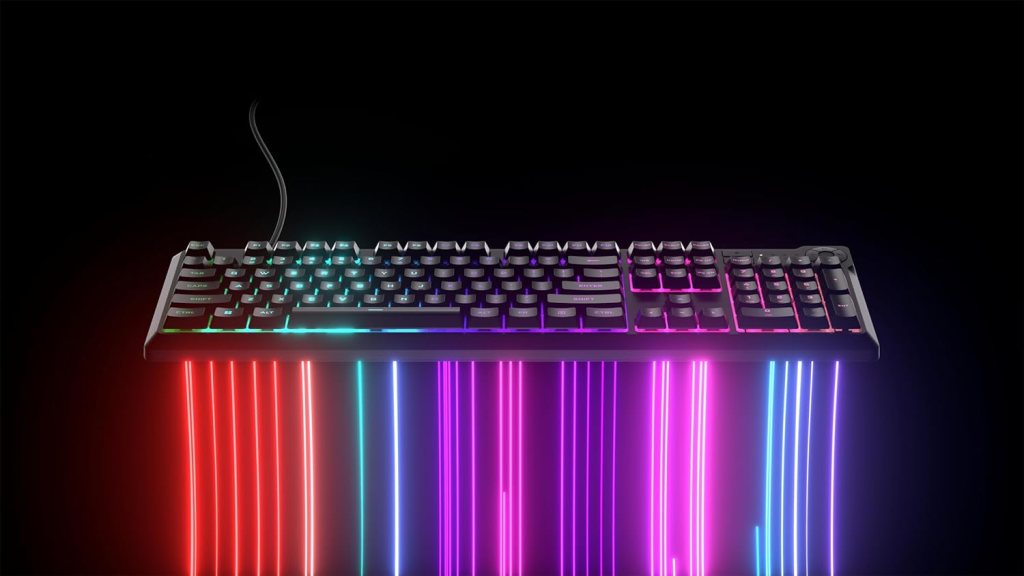
The gaming keyboard market is saturated with high-end mechanical options, but not everyone needs (or wants) to spend $150+ for a quality peripheral. Enter the Corsair K55 CORE RGB, a budget−friendly membrane gaming keyboard that delivers solid performance, vibrant RGB lighting, and Corsair’s renowned build quality — all for under $50.
But is it worth buying over similarly priced mechanical alternatives? How does it compare to other membrane keyboards like the Razer Cynosa Chroma or SteelSeries Apex 3? And who is this keyboard really for?
In this in-depth review, we’ll break down the K55 CORE RGB’s design, features, gaming performance, and value while comparing it to competing models.
A Surprisingly Premium Look for the Price
At first glance, the K55 CORE RGB doesn’t scream “budget keyboard.” Its full-size layout (110 keys), bold RGB lighting, and dedicated media controls give it a premium aesthetic that rivals Corsair’s pricier models like the K70 RGB Pro.
However, there are cost-cutting measures:
- Plastic construction (no aluminum frame)
- Non-detachable rubber cable (prone to tangling)
- Thin ABS keycaps (may wear out faster)
Despite this, the keyboard feels sturdy, with minimal flex and spill resistance (up to 300ml), making it a solid choice for accident-prone gamers.
RGB Lighting: Zoned, Not Per-Key
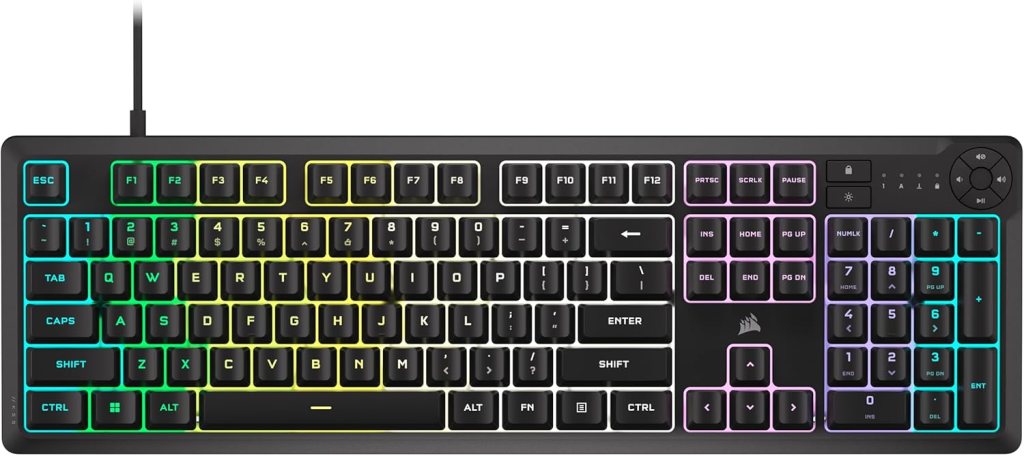
Unlike high-end Corsair keyboards, the K55 CORE RGB features 10-zone lighting instead of per-key customization. While this limits advanced effects, the diffused glow is vibrant and well-distributed, thanks to Corsair’s expertise in RGB.
You can cycle through five preset lighting modes (rainbow wave, color pulse, etc.) or customize zones via iCUE software.
Membrane Switches: Quiet but Less Tactile
The K55 CORE RGB uses rubber dome switches, which are:
- Quieter than mechanical switches (ideal for office/roommates)
- Softer and less tactile (may feel “mushy” to mechanical users)
- Require more force (can cause fatigue during long typing sessions)
That said, Corsair tuned these switches well—they’re responsive and snappy enough for gaming, with 12-key rollover and a 1,000Hz polling rate (same as pricier Corsair models).
Gaming Performance: Surprisingly Capable
In fast-paced games (FPS, MOBA, MMO), the K55 CORE RGB holds up well:
- Low latency (comparable to mechanical keyboards)
- Dedicated macro keys (6 total)—rare at this price
- Comfortable for long sessions (though not as crisp as mechanical)
However, competitive esports players may prefer mechanical switches for faster actuation.
iCUE: Powerful but Complex
The K55 CORE RGB fully supports Corsair’s iCUE software, allowing:
- Key remapping
- Macro programming
- RGB zone customization
While iCUE is feature-rich, it can be overwhelming for beginners.
Comparison to Competing Keyboards
| Feature | Corsair K55 CORE RGB | Razer Cynosa Chroma | SteelSeries Apex 3 |
|---|---|---|---|
| Price | $39.99 | ~$50 | ~$50 |
| Switch Type | Membrane | Membrane | Membrane |
| RGB Lighting | 10-zone | Per-key | 10-zone |
| Polling Rate | 1,000Hz | 1,000Hz | 1,000Hz |
| Macro Keys | 6 | None | None |
| Spill Resistance | Yes (300ml) | No | Yes |
| Wrist Rest | No | No | Yes |
Verdict:
- Best for budget + features: K55 CORE RGB (macro keys, iCUE)
- Best RGB: Razer Cynosa Chroma (per-key lighting)
- Best ergonomics: SteelSeries Apex 3 (wrist rest included)
Final Verdict: Who Should Buy It?
Buy the Corsair K55 CORE RGB if:
✅ You want a budget-friendly gaming keyboard with great RGB.
✅ You need macro keys and customization without spending extra.
✅ You prefer quiet keys (good for shared spaces).
Avoid it if:
❌ You must have mechanical switches (consider the Keychron C3 Pro).
❌ You want per-key RGB (look at the Razer Cynosa Chroma).
The Bottom Line
The Corsair K55 CORE RGB is one of the best membrane keyboards under $40, offering Corsair’s build quality, solid gaming performance, and impressive RGB—making it a fantastic entry-level option.
Rating: 4.2/5
👍 Pros: Affordable, great RGB, spill-resistant, macro keys.
👎 Cons: Mushy keys, no per-key lighting, non-detachable cable.
 Big Orbits
Leave a comment